The Moon is a generous subject. It is bright, it keeps to a schedule, and it will hold still for as long as you like. Yet a hard drive full of lunar frames usually tells the same story: a white disc with no craters, a soft grey smudge, or a crisp little coin lost in a vast black rectangle. The good news is that lunar photography fails in a small number of predictable ways, and every one of them has a fix you can apply tonight with the gear already in your bag.
Mistake one: letting the camera choose the focus point
Autofocus needs contrast, and the night sky offers almost none. Point a lens at the Moon and many cameras will hunt, give up, and settle somewhere that looks roughly like infinity but is not. Even when autofocus does confirm, it often locks onto the bright limb rather than the surface, which is the one part of the disc with no detail to lose.
The fix is to take manual control and give your eye something to work with. Switch the lens to manual focus, open live view, and magnify the image five or ten times. Then aim that magnified patch at the terminator — the line between lunar day and night — where long shadows make crater rims stand out sharply. Nudge the focus ring until those rims are at their thinnest and most brittle-looking, then check a second crater on the other side of the disc to be sure the field is flat.
- Tripod set, image stabilisation off, lens in manual focus.
- Live view on, magnified to 5x or 10x, centred on the terminator.
- Focus until crater rims are razor-thin; verify on a second crater.
- Tape the focus ring down if your lens creeps under its own weight.
- Re-check focus every half hour, and again after the camera has cooled.
That last point matters more than people expect. Metal and glass contract as the night cools, and a lens that was perfectly focused at 9pm can be slightly off by 11pm. Thirty seconds of re-checking saves an evening of soft frames.
Mistake two: exposing for the night sky
Your camera's meter does what it was designed to do: it averages the frame toward middle grey. When most of that frame is black sky, the meter pushes the exposure up until the Moon becomes a featureless white blob. Crater detail is not hidden by the camera; it is thrown away by the exposure.
Switch to manual and expose for the Moon itself, checking the histogram rather than the preview brightness (a dark-adapted eye misreads a screen badly). Keep the brightest crater rims just short of the right-hand edge and enable your highlight warning so clipped areas flash at you. Spot metering can help, but manual plus histogram is more reliable.
The Moon is a sunlit rock in daylight. Expose for the rock, not for the sky around it.
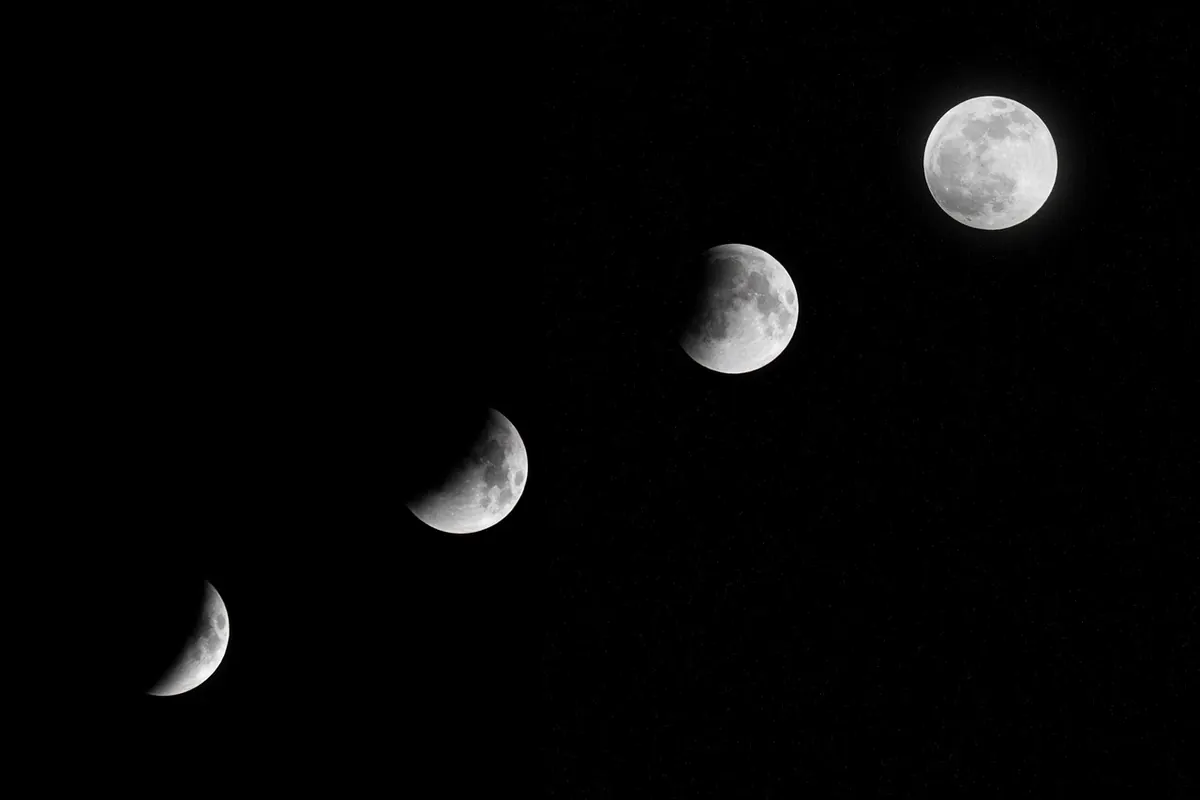
A useful starting point is the old "Looney 11" rule: aperture at f/11 and shutter speed at roughly the reciprocal of your ISO. For most people that means ISO 100, f/11, around 1/100 sec. Note that the phase barely changes this. The lunar surface has the same brightness whether it is full or a thin crescent — only the amount of lit surface changes. So resist the urge to add three stops for a crescent; you will only burn out the part you came for.
- Full Moon: ISO 100, f/11, about 1/100 sec.
- Half Moon: the same, with a stop of bracketing either way for safety.
- Thin crescent: still the same — bracket rather than guess.
- Earthshine: a separate, much longer exposure that will blow out the crescent; blend the two frames afterwards.
Mistake three: blur that has nothing to do with focus
A frame can be perfectly focused and still ruined. Camera shake, mirror slap, wind, and the Moon's own drift all leave their mark. That last one surprises people: the Moon moves its own diameter across the sky in roughly two minutes, so at high magnification a multi-second exposure smears the disc sideways.
Handheld, aim for at least 1/250 sec at 300mm and faster if you can afford it; the traditional 1/focal-length rule is too slack for lunar work. On a tripod, do not press the shutter with your finger. Use a two-second delay or a remote release, lock the mirror up on a DSLR if that option exists, keep the centre column down, and hang something heavy from the hook. Switch stabilisation off when the camera is locked down — some stabilisation systems hunt slightly on a solid mount. If there is a breeze, shoot in bursts and keep the sharpest frames at home.
Mistake four: shooting through bad air
Low on the horizon, you are looking through a long wedge of atmosphere, and the Moon boils and ripples accordingly. Colour fringing appears at the limb, detail dissolves, and no amount of sharpening in post will recover it. Wait until the Moon is higher — thirty degrees or more above the horizon is a reasonable target — and the same lens will suddenly look twice as good.
Watch your local sources of heat as well. Rooftops, asphalt, car parks and air-conditioning units all shed turbulence upward. Shooting through a closed window is worse still: double glazing adds ghosting and distortion that no filter fixes. Let a cold lens warm up or a warm lens cool down before you start, and if the Moon is low and beautiful over a skyline, accept that you are making a landscape picture rather than a crater study.
Mistake five: framing a very small subject badly
The Moon spans about half a degree of sky. On a full-frame camera at 200mm it fills roughly a twentieth of the frame width; at 50mm it is a speck. Most disappointing lunar photos are not badly exposed — they are simply under-magnified, with a bright dot centred in a large empty rectangle.
Two honest routes out of this. The first is to go long: 300mm and up, ideally with a teleconverter or a small telescope, and crop deliberately rather than accidentally. The second is to include the Moon in a scene where its size is not the point. Shoot at moonrise or moonset, when the Moon sits close to buildings, hills or masts, and compose so those silhouettes do the storytelling. Off-centre placement usually reads better than dead centre, and a partial phase gives you the terminator's texture; a full Moon is flat, bright and the least interesting version of itself.
Mistake six: over-processing the result
After the field work, restraint is the skill. Blown highlights on the lunar surface cannot be recovered from a JPEG and rarely from a raw file, so protect them at capture time. Then edit gently: lift shadow detail along the terminator, add only enough sharpening to define crater rims, and watch for dark halos appearing against the black sky — that is the tell-tale of too much of it. Purple or green fringes at the limb are usually atmospheric, and a light defringe adjustment deals with them better than a heavy saturation pull. Work from raw, keep adjustments small, and compare your result against a plain conversion before you decide you have improved it.
A ten-minute field routine
Tripod first, levelled and low. Stabilisation off, manual focus on the terminator at 10x, focus ring checked. Manual exposure at f/11, ISO 100, 1/100 sec, then adjust against the histogram until the brightest rims sit just inside the right edge. Two-second delay, remote release, a short burst. Refocus and re-check exposure every half hour, and take one wider frame for context before you pack up. Do that consistently and the failures stop being mysterious — they become a short list you work through, night after night, until the craters come out the way you saw them.
Photo: Bessi / Pixabay